
Getting started
Dashboard and main menu
Find the Nimbu area that matches the task you want to do.
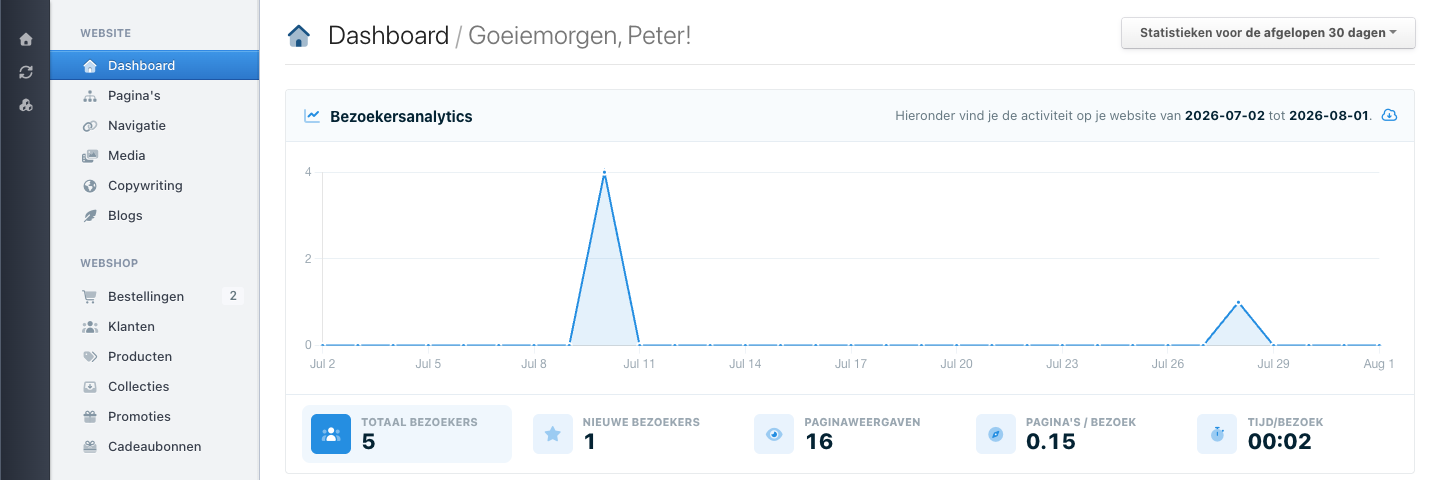
Start on Dashboard when you are not sure where a task belongs. The menu on the left is your map of Nimbu.
 View full size
Find the right area
Open Website for work on the website itself:
- Pages is for a page's text, layout, and place in the page list.
- Navigation is for links in the website menu.
- Media is for images, files, and downloads.
- Copywriting is for shared text that can appear in more than one place.
Settings is for the site you currently selected. Channels is for structured content, such as a list of products, events, or articles.
Check your route
- Open Dashboard.
- Look at the groups in the left menu.
- Open the group that matches your task.
- Check the page title before you start work.
Looking around does not change anything. You can go back at any time.
If an item is missing
Menus differ between sites and people. First check that you selected the right site. If Pages, Media, or another area is still missing, ask an administrator for access to that area.
On a small screen, the menu may be behind a navigation button. Use that button to open the same groups.