
Manage websiteNavigation and redirects
Find navigation and redirects
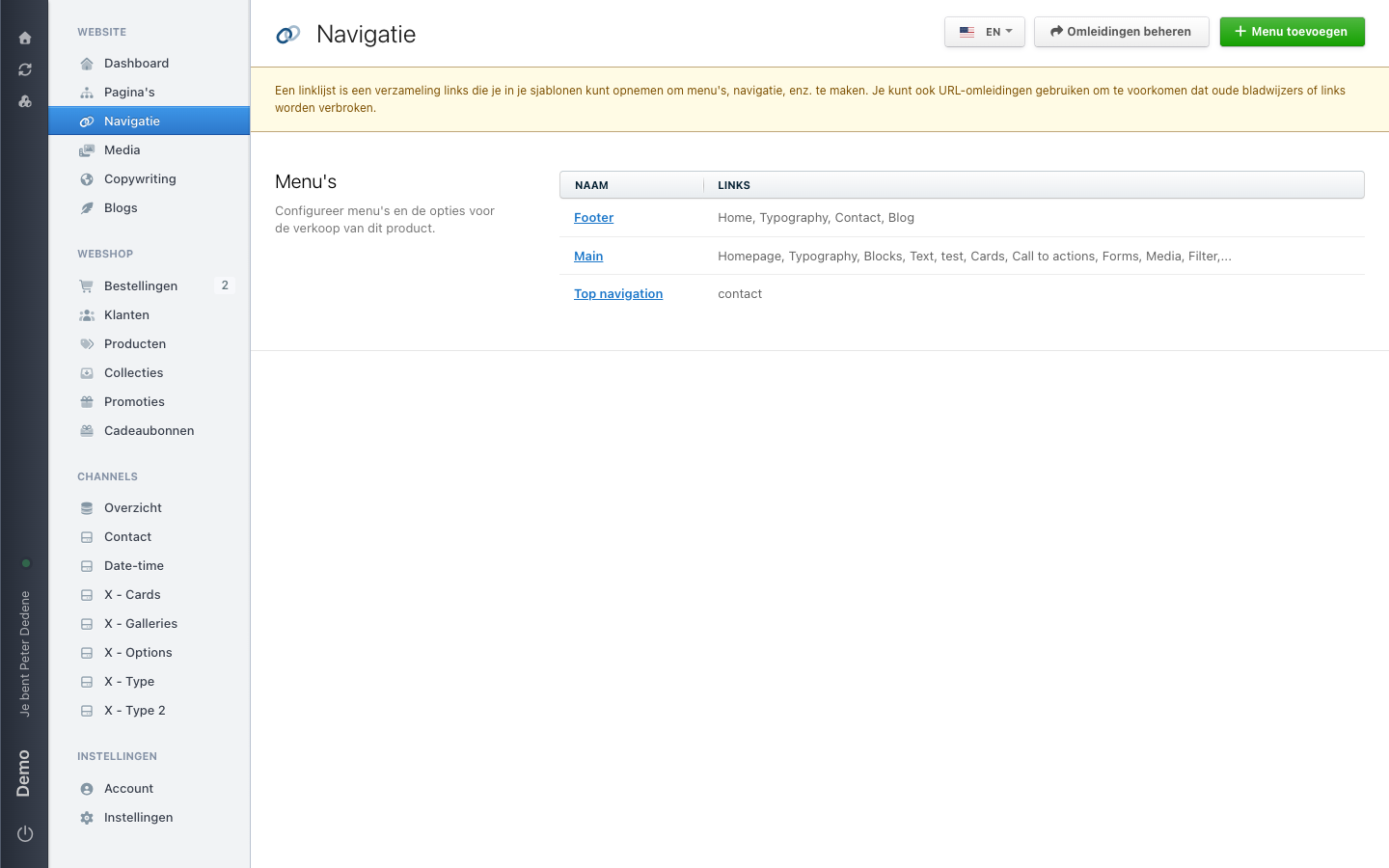
Choose Navigation for menu links and Manage redirects for old web addresses.
Use Navigation to work out whether you need a menu link or a redirect. A redirect sends visitors from an old web address to a new one.
 View full size
Outcome
You will know which screen to open before you make a change.
Choose the right place
- Use Navigation when you need to add, remove, or change a link that visitors see in a menu.
- Use Manage redirects when an old web address should send visitors somewhere else.
Open Navigation
- Open Website in the left navigation.
- Choose Navigation. Your labels may be in Dutch; look for Navigatie if needed.
- Select the site language before checking or changing a menu.
If Navigation is missing, check that you selected the right site. If it is still missing, ask an administrator for access to Navigation.
Warning: Changing a redirect can affect visitors immediately. Deleting a redirect is permanent. Check the old and new web addresses before you save, and do not test redirects on a live or shared page.