
Add custom customer fields
Use the Customers data model to add extra fields to a customer profile.
Customers use the same data model as products. If you want to record something Nimbu does not ask for by default, such as a VAT number or a delivery preference, you add a field for it.
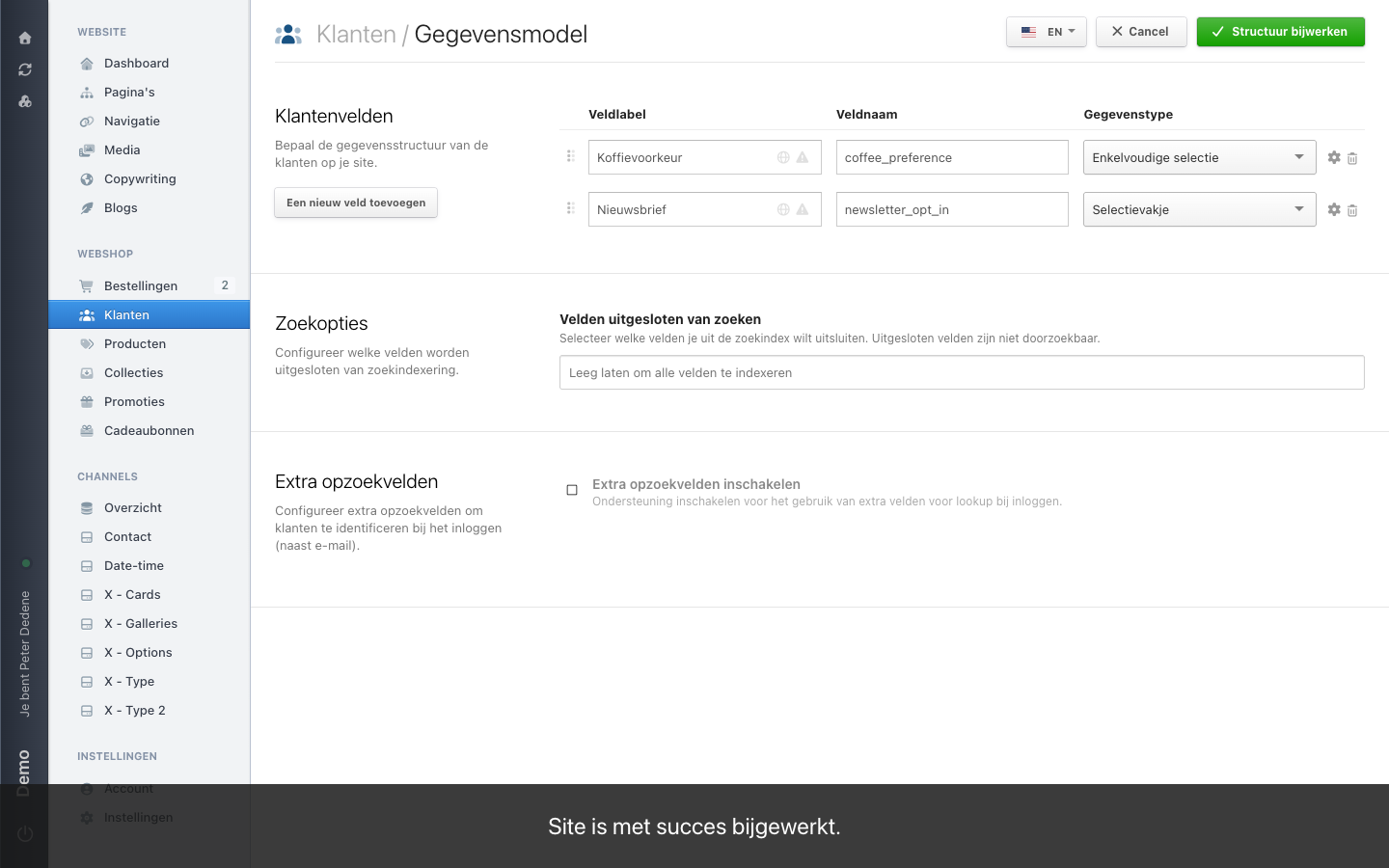
You find it through Customers → Data model. On a Dutch admin the heading reads Klanten / Gegevensmodel, with the Klantenvelden (customer fields) section below it.
 View full size
Add a field
The screen works like the one for products: add a new field, then give it a label for your colleagues, a name for the API, and a type. The field settings hold the description and the checkboxes for required, translatable, and unique. You save with Structuur bijwerken (update structure) at the top right.
The list of field types is the same, and here too you can only add the options of a select field after saving the field once. If you need help choosing a type, or with that order, see Add custom product fields.
On the customer profile, your fields appear under the custom-attributes section.
What Customers has on top
Below the search options, Customers has one more section: extra lookup fields. It lets customers identify themselves at sign-in with a field other than their email address, a membership number for instance. The switch reads Extra opzoekvelden inschakelen (enable extra lookup fields).
That touches how people sign in to your site. Talk to whoever manages the checkout and the accounts before turning it on.
What not to put in a customer field
A customer field is a place where personal data ends up. Ask only for what you need to deliver, invoice, or support. Anything you store, you also have to justify, correct, and delete when a customer asks.
For sensitive data, talk to whoever decides on privacy in your organisation before you create the field.
Before you make a field required
Existing customers have not filled it in. Only make a field required once you know what happens to the customers you already have and to whoever registers today.