
Channels overview
Find the collection that holds the information you need.
Use Channels to find collections of information for the site you selected. A channel is a collection, such as products, locations, or team members. The records inside it are called entries or items.
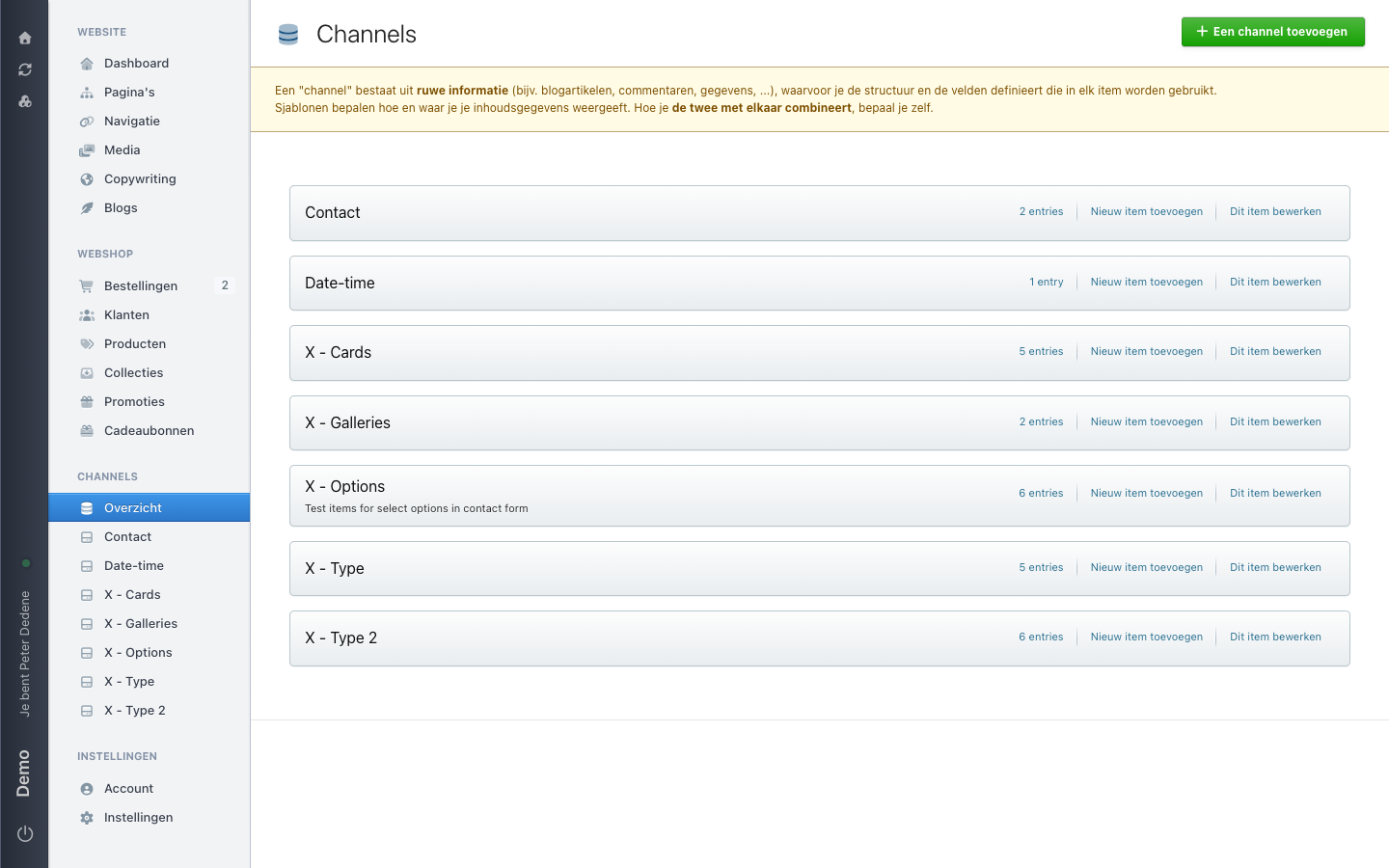 View full size
Outcome
You can find the channel that is most likely to contain the information you need.
Find the right channel
- Open Channels in the left navigation.
- Find the card whose name best matches the information you need.
- Check the number on the card. It shows how many items the channel currently has.
- Use the name and item count to decide whether this is the right channel for your task.
Names and item counts differ between sites. For example, one site may have a Products channel while another has none.
If you cannot find it
Check that you selected the right site. If Channels or an expected channel is missing, ask an administrator for access. Some channels are restricted, so you may see fewer channels than a colleague.
Before you make a change
Buttons such as Add a channel and Add a new entry create new information. Do not use them just to explore the screen. Open a channel first and make sure it is the right collection for your task.