
What is a channel?
When to put content in a channel, and when a page or a blog fits better.
A channel is a list of things that all share the same shape. An event has a title, a date and a location. So does the next event. And the one after that. As soon as you spot that repetition, the content belongs in a channel.
The individual things in the list are called items, or entries. The shape they share is the structure: the list of fields each item fills in.
What people use them for
The demo site has a channel called Contact holding the submissions from the contact form. Each message has a first name, a name, an email address, a phone number and the message itself. Twelve fields, two items, and the next submission fits without any extra work.
Other common channels:
- Events, with a date, a location and a description. Your theme turns those into a calendar.
- Vacancies, with a job title, a contract type and a department. Visitors filter on them.
- Team members, with a photo, a role and an email address.
- Form submissions, where Nimbu stores incoming messages.
The structure is whatever each channel needs. A channel for events gets a date field, a channel for vacancies does not.
When not to use a channel
A page is a single piece of content with its own layout and its own web address: the homepage, "About us", a landing page. Pages do not resemble each other, and they do not need to.
A blog is already a channel with a fixed shape: title, body, publication date, author. If you want to write articles, use a blog. Do not rebuild one as a custom channel.
So pick this way:
| You have | Use |
|---|---|
| One unique page with its own layout | A page |
| Articles with a date and an author | A blog |
| Fifty things with the same fields | A channel |
| Messages arriving through a form | A channel |
What holds a channel together
Every channel has a name you see in the admin, and a slug your theme and the API use. Contact is the name, contact is the slug. The channel also records which field serves as the title of an item, and which field the list sorts on by default.
Channels can point at each other. On the demo site, X - Cards has a field pointing to X - Type, so each card gets a type without anyone retyping those type names. You maintain the list of types in one place and use it everywhere.
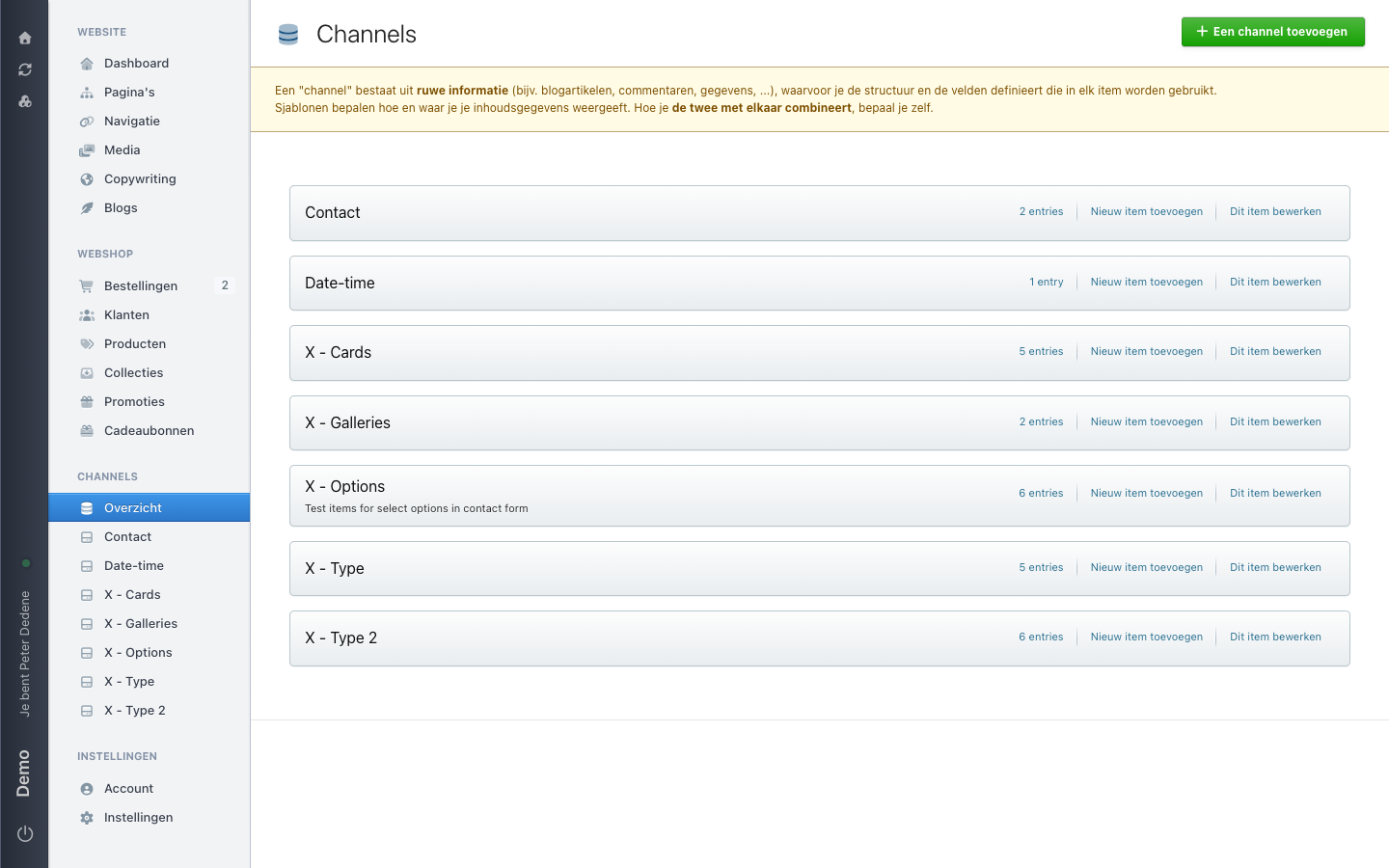 View full size
Who can do what
Access to channels is a single permission. If you have it, you see the Channels menu item. Sensitive channels have a separate permission, granted on its own. That is why a colleague sometimes sees more channels than you do.
Changing the structure of a channel is different again from filling in items. See Fields and structure.