
Find and review products
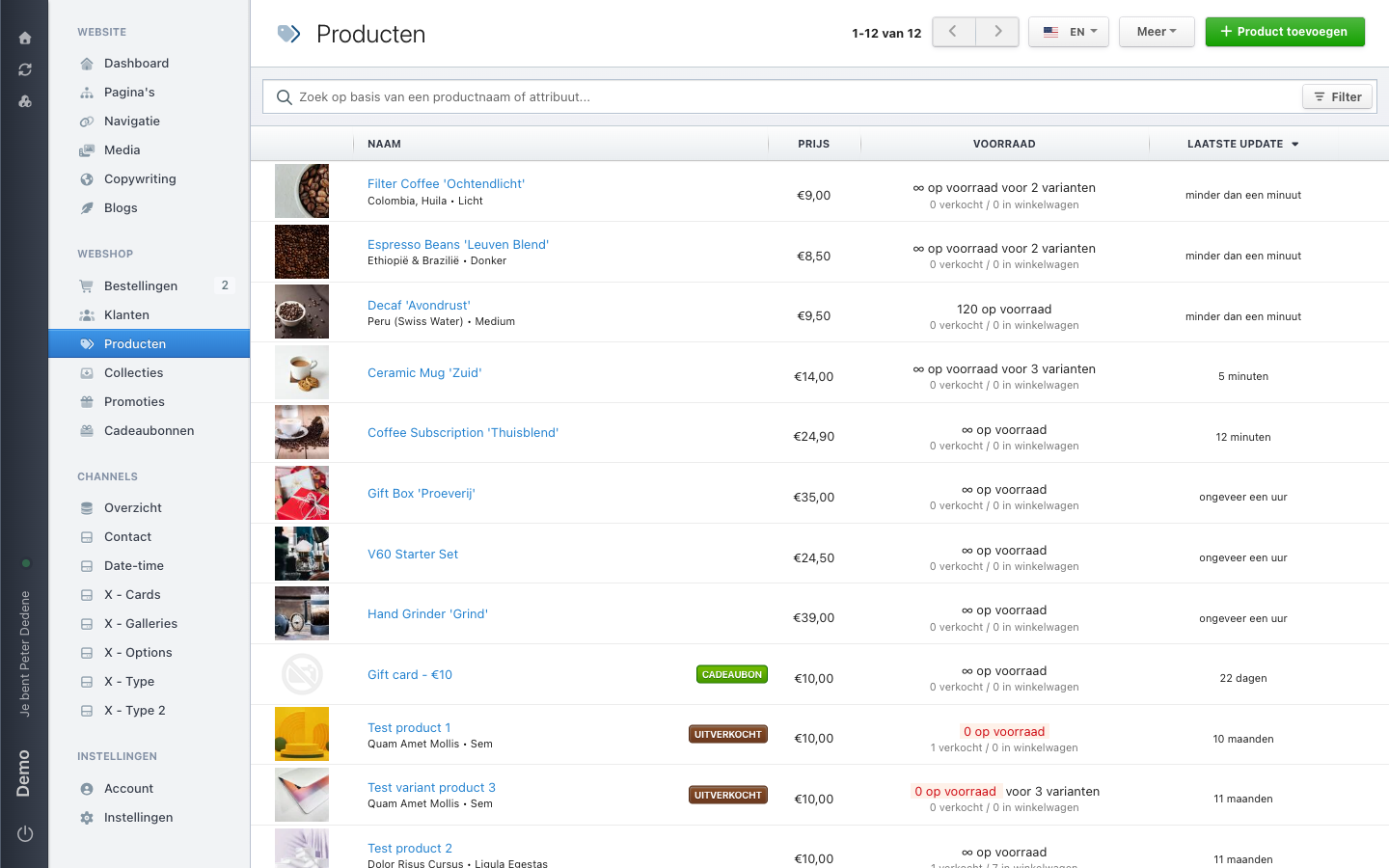
Open the product list, choose a site language, and read the visibility of existing products.
Use Products to view the existing product list in the site language you need.
 View full size
Outcome
You have opened the product list in the right site language and know what a product's visibility means.
Open the product list
- Open Products in the navigation.
- Check that the page title is Products.
- Choose the site language you want to view.
- Review the existing product list.
The available site languages vary by site. A product can have a different visibility in each site language.
A product at a glance
A product is an item a customer can view or buy. It can have a name, images, variants, price, stock, and visibility. Use this page to view the list and check visibility. Follow an approved guide before changing product data or visibility.
Read visibility
- Visible: the product can be publicly visible.
- Coming Soon: the product can be publicly visible, but is not available yet.
- Hidden: the product is not publicly visible.
- Sold out: the product can be publicly visible, but is not available to buy.
What visitors see on the website can still vary by sales channel and site.
If Products is missing, check that you selected the right site. Otherwise, ask an administrator for access to Products.
If an expected language or product is missing, ask the shop manager which site language or visibility is set.