
Stock and sold-out behaviour
Decide whether Nimbu tracks stock, and read what the product list tells you about your numbers.
Tracking stock is a choice you make per product. If you sell something you never run out of, there is nothing to count. If you sell a limited run, you want the shop to stop at the right moment.
You find the choice in the product form, in the pricing and stock settings section, under Voorraadbeleid (stock policy).
The two stock policy options
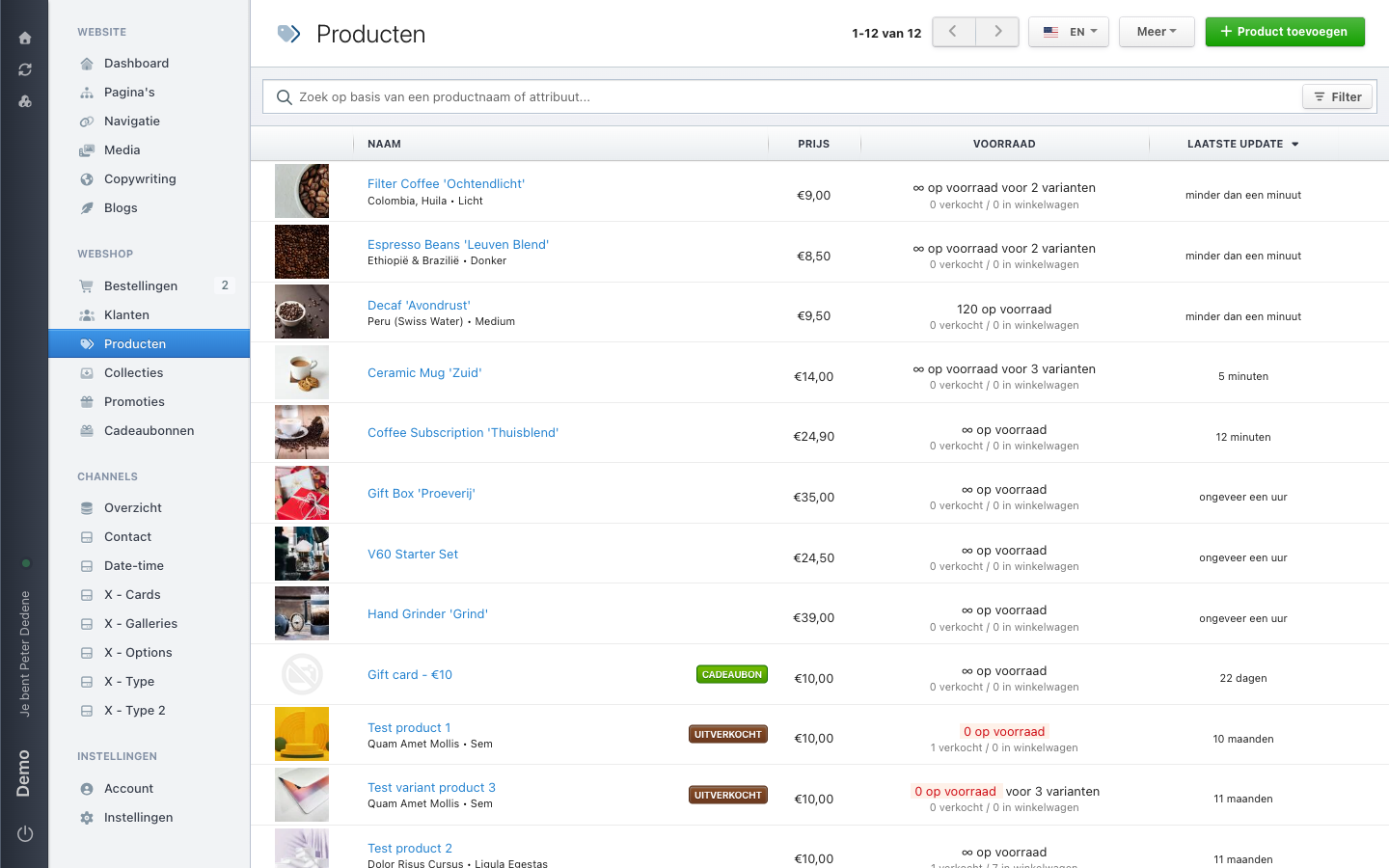
Do not track stock is the setting where Nimbu counts nothing. Customers can keep ordering and the product list shows ∞ op voorraad (in stock).
Track stock for products and variants turns the counter on. A Voorraad (stock) field appears for the number. On the demo site Decaf 'Avondrust' is set this way, with 120 in stock.
On a product with variants
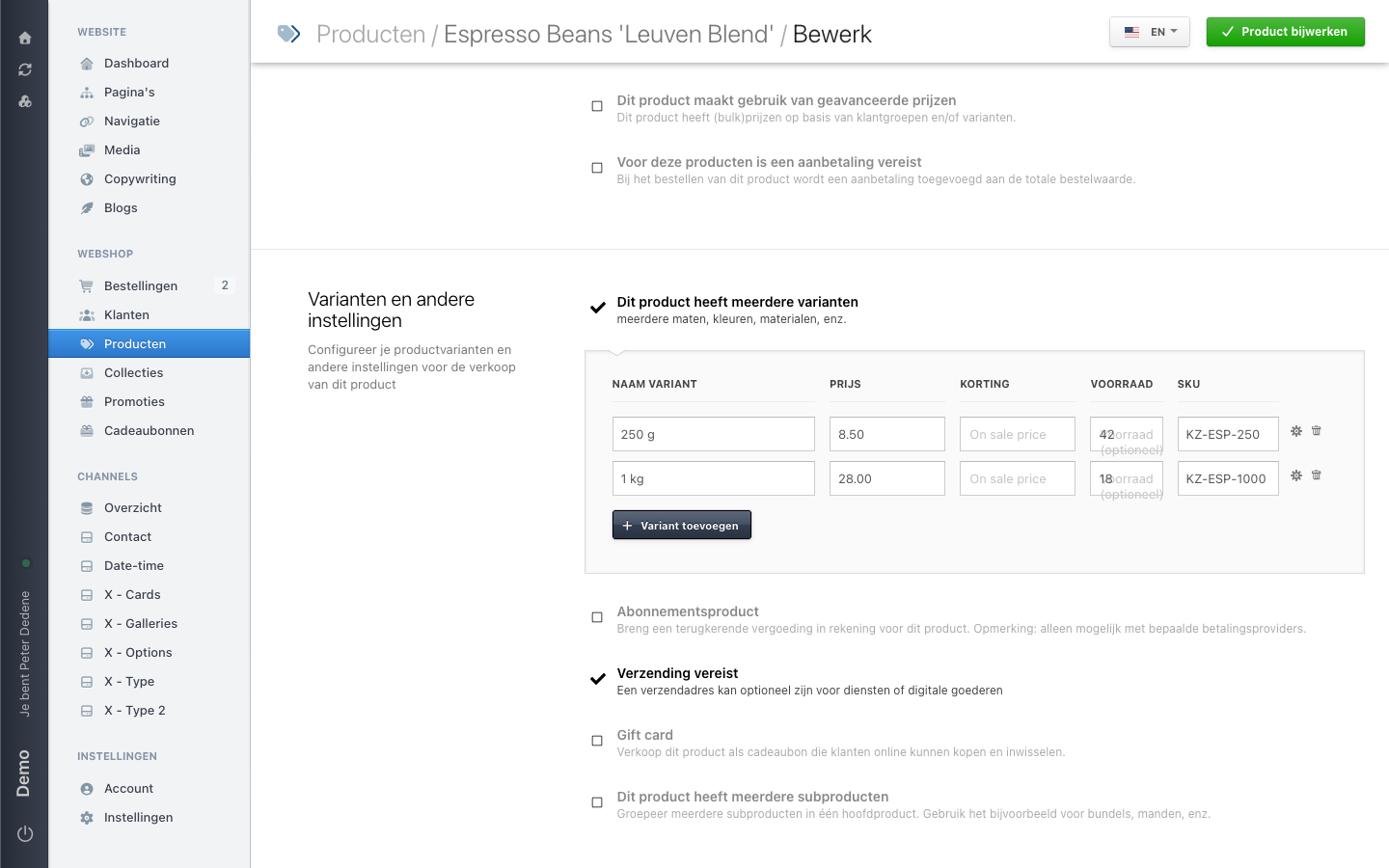
Turn stock tracking on for a product with variants and the variant table gains a Voorraad column. Each variant then carries its own number.
 View full size
Check per-variant stock after saving
Per-variant stock did not always behave as expected in our testing: the form reported the product as updated while the numbers we had entered were gone after a reload. So save, reload the product, and check that your numbers are still there before you rely on them. Stock on a product without variants did stay saved.
What the product list tells you
Under the stock column, each product carries a second line with two numbers: how many have already sold, and how many sit in a basket right now.
The basket number explains why your stock sometimes looks lower than what sits in your warehouse. Those items are reserved while someone is checking out.
When a counter reaches zero, the list shows 0 op voorraad in red and the product gets a sold-out label.
 View full size
What the visitor sees
What happens on your site when a product runs out depends on your theme. If in doubt, test it with one product before applying it everywhere, and look at the product page itself rather than only at the list.
When the numbers look wrong
Compare them with what has sold and what sits in baskets first. If you also sell the same product outside the shop, the numbers drift apart until someone updates them. Agree in your team who corrects stock, and when.