
Set up a subscription product
Turn a product into a subscription and choose how often the customer pays.
A subscription product does not sell a single delivery but a repetition. Koffie Zuid uses one for Coffee Subscription 'Thuisblend': coffee every month, a payment every month.
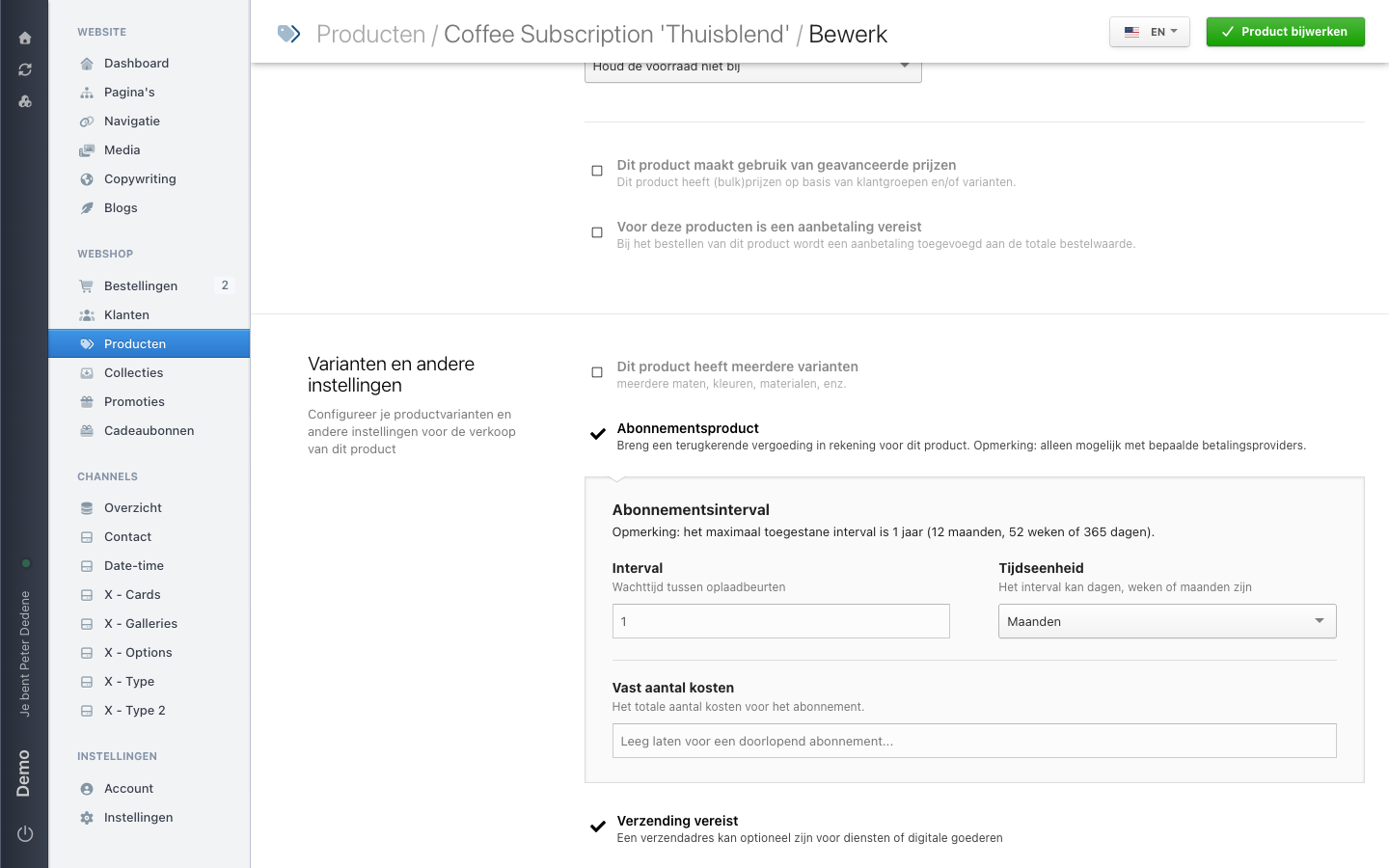 View full size
The checkbox and the interval
In the variants and other settings section sits the checkbox Abonnementsproduct (subscription product), explained as charging a recurring fee for this product, and noting that only some payment providers support it.
Tick it and the Abonnementsinterval panel appears with three fields:
- Interval is the waiting time between two payments, as a number.
- Time unit is days, weeks, or months.
1and months means monthly,3and months means quarterly. - Fixed number of charges is how many times the customer pays in total. Leave it empty and the subscription runs until someone cancels it.
The longest interval Nimbu accepts is one year: 12 months, 52 weeks, or 365 days.
Set this up through the admin. In our testing these settings were not reliably writable through the API.
Apart from that it is an ordinary product. Name, price, tax scheme, images, and translations work the same as anywhere else.
What happens at checkout
A subscription only comes into existence when a customer checks out. Two things have to be true:
- the order contains a subscription product;
- the customer pays through a provider that supports recurring payments, such as Mollie.
When both hold, Nimbu creates a subscription alongside that order. You cannot create a subscription yourself in the admin, not even for a customer who asks for one over the phone.
Before you go live
Check which payment methods your checkout offers. If a customer can pay with a method that does not support recurring payments, you get a plain order and no subscription. The customer will believe they are subscribed.
Test it with one order before you put the subscription in your newsletter.