
Restore a version as a draft
Open a page's version history and bring an earlier version back as a draft.
Nimbu archives a version of a page every time you save the live page. From that history you can bring an earlier version back as a draft, without changing the live page.
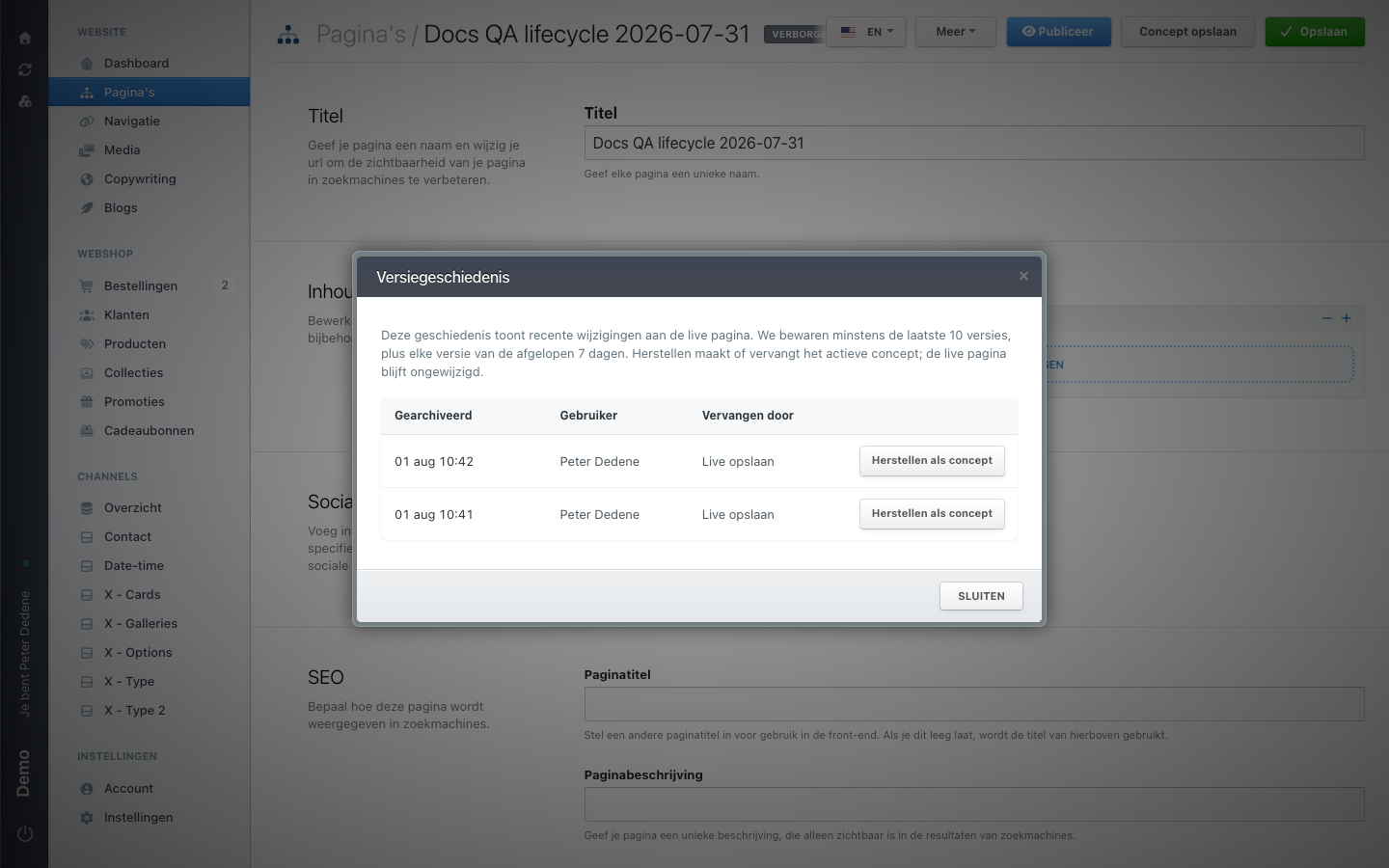 View full size
Open the version history
In the page editor, choose More, then Version history (Versiegeschiedenis). A dialog opens over the editor.
If Version history is not in the menu, nothing has been archived yet. The item appears only after the live page has been saved at least once, so a new page does not have it.
What the dialog shows
Each row is an archived version, with the time it was archived, the user who made the change, and what replaced it. Nimbu keeps at least the last 10 versions, plus every version from the last 7 days.
The history covers changes to the live page only. Drafts you saved or discarded are not in it.
Restore a version
- Choose Restore as draft (Herstellen als concept) next to the version you need.
- Read the confirmation: the active draft is replaced and the editor reloads. Unsaved changes on your screen are lost.
- Confirm.
The editor reloads and confirms that the version was restored as a draft. The hidden and draft labels appear next to the title, and the fields show the restored content.
Restoring overwrites an existing draft
If a draft is already waiting, the restore replaces it completely. Read that draft and check with its author before you restore.
What does not change
The live page stays as it was. The restored content sits in the draft and reaches visitors only when someone publishes it. If you decide against the restore, choose Discard draft behind the arrow next to Save draft.