
How the page editor works
Recognise the page editor's visible areas and actions before starting a change.
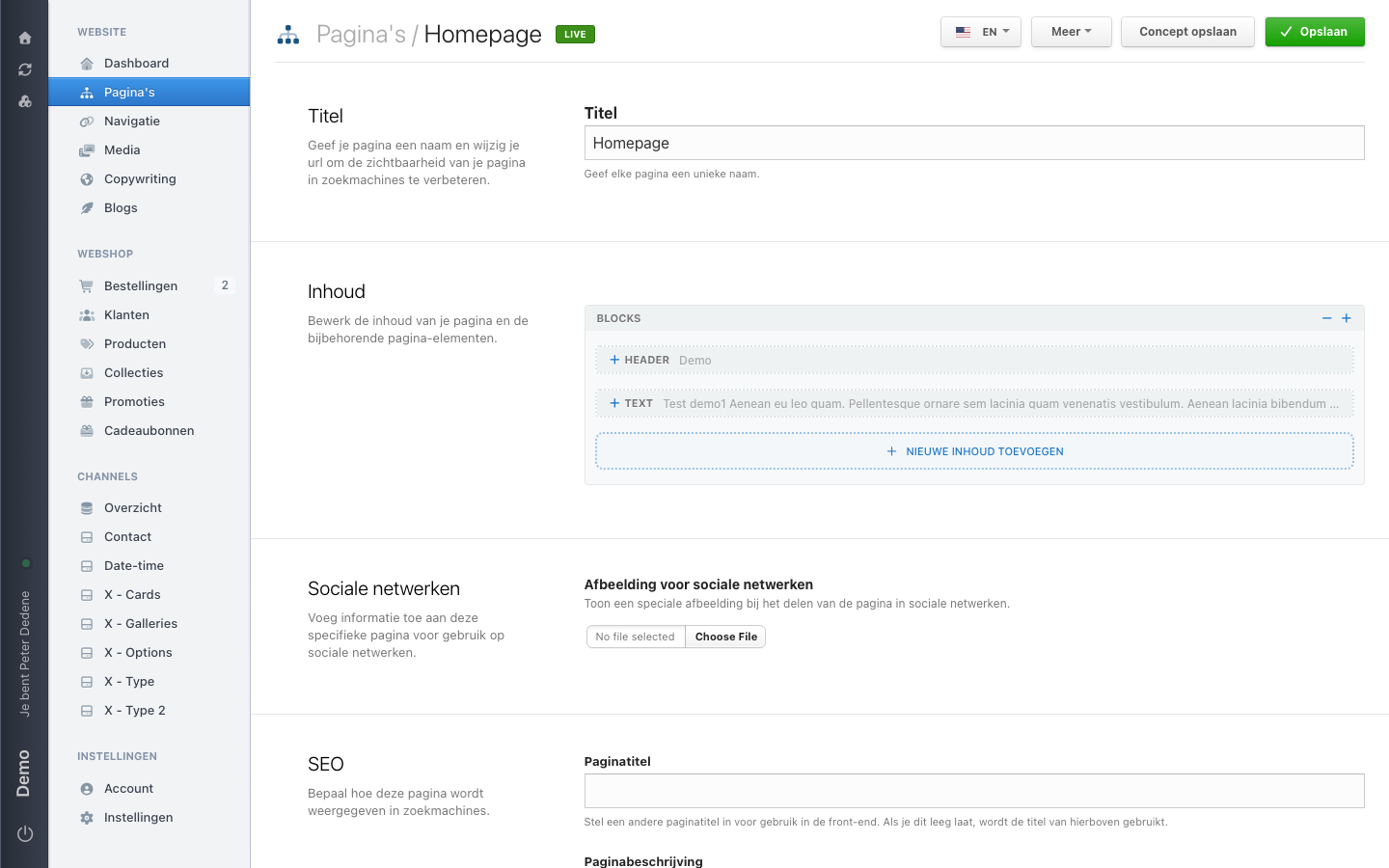
Open the page editor after you have found the right page in Pages. It is where you check the page content, page settings, and the actions available for that page.
 View full size
Before you change anything
Check the selected site, content language, and page title. A page with the same title can exist in another language or on another site.
The three parts of the editor
Page content
This is the content that visitors read and see on the page. It can include text, images, and blocks. Read available blocks to understand the reusable pieces that make up a page.
Page settings
Settings describe the page rather than its main content. Look here for details such as the page title, page description, image for social sharing, and page URL.
Save and publish actions
The editor can show actions for saving a draft, saving, publishing, duplicating, previewing, or moving a page to the trash. What you see depends on the page and your access. Use the action only when you know the result you want.
Page designs and editor options
Some pages offer Visual editor (beta) and others use the standard editor. A page design can also decide which blocks, fields, and actions are available. If an option is missing, use the editor options shown for that page; it is not necessarily a problem.
Drafts and version history can also be unavailable for a page. If you do not see them, ask an administrator if you need that workflow.
When you know which part of the editor you need, continue with the relevant guide.