
Connect a custom domain
Put your site online on your own web address, from the DNS change to the primary domain.
Every Nimbu site has an address on nimbu.io from the start. Once the site works and you have your own domain, you connect it alongside. You arrange that under Domeinen (domains) in the Settings menu, on the Domeinen en DNS screen.
What that screen contains is covered in Domains and DNS reference. This page walks through the connection itself.
What you need first
You do not buy your domain in Nimbu. You hold it elsewhere, at a registrar or hosting company, and that is also where the DNS settings live.
So line up three things:
- The domain belongs to you and you can reach it.
- You have access to DNS management, or you know who does.
- You know whether the domain is already used for something else, company email for instance.
That last one matters more than it looks. A wrong DNS change takes down not just the website but the mail with it.
Making the connection
- Open Domeinen in the Settings menu.
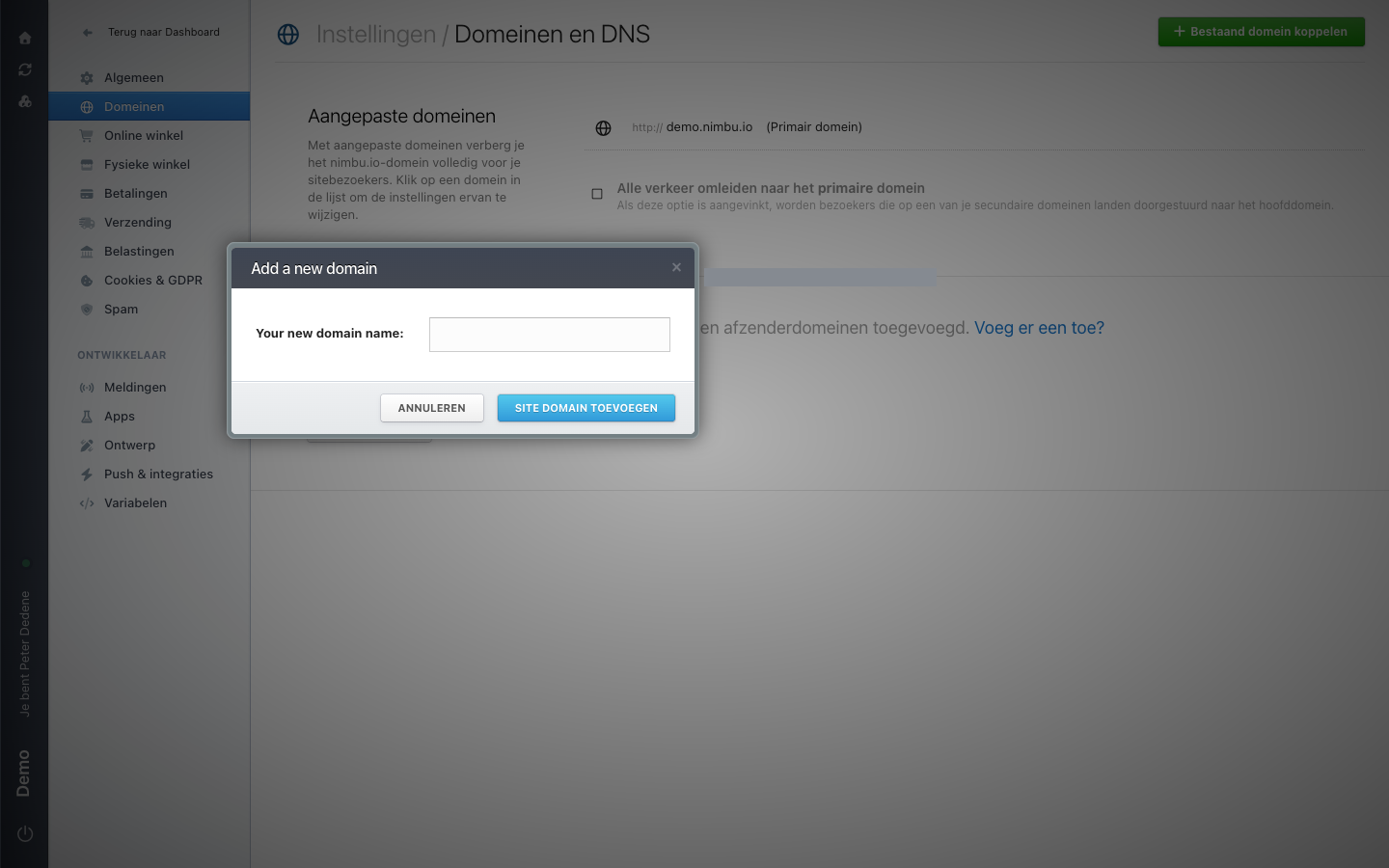
- Click the green Bestaand domein koppelen (connect an existing domain) button in the top right. A window opens with a single field for the domain name.
- Enter the address you want to use,
www.yourcompany.comfor instance. - Confirm with the button that adds the domain.
- Change the DNS at your domain provider.
- Wait until your site answers on the new address.
 View full size
That window is in English even when the rest of your screen is Dutch: Add a new domain, with the field Your new domain name. You simply type your domain name into it.
Which DNS change you need depends on the address. A www address usually works with a CNAME; a bare domain without www does not. Ask your site administrator or the developer who built the site for the right values before you change anything at your registrar.
Step six is waiting, not clicking. A DNS change spreads across the internet and that takes time. Usually within the hour, sometimes half a day. If nothing has changed after a day, check that the change was actually saved at your registrar.
Bare domain or with www
yourcompany.com and www.yourcompany.com are two different things as far as DNS is concerned. Connect both and pick one as primary. The other then forwards visitors.
Which one you pick as primary matters little technically. Pick the one you use everywhere in your communication, because that is the address visitors will see in their address bar.
The primary domain
One entry in the domain list carries the Primair domein (primary domain) label. That is the site's main address. On the demo site it is still the default demo.nimbu.io.
Below the list sits Alle verkeer omleiden naar het primaire domein (redirect all traffic to the primary domain). Tick it once your own domain is primary. Otherwise your site stays reachable on several addresses at once, which search engines find confusing and so do visitors.
Switch the primary domain during a quiet moment
Changing the primary domain changes the address your site lives on. Existing links usually keep working through the redirect, but do not make this switch right before a campaign or a busy sales day. Plan it, then check a handful of existing links afterwards.
Security
Nimbu handles the certificate for a connected domain so visitors arrive over https. That only happens once the DNS is correct. If you see a browser warning in the first few hours, wait before raising the alarm.
If the warning is still there a day later, report it with the exact address and the wording of the error.
Email is a separate story
The e-mail afzenderdomeinen (email sender domains) section sits at the bottom of the screen. It covers the address your site sends mail from, not the web address, even though the names look alike. The demo site has none configured.
If your site sends transactional mail such as order confirmations, add and verify the sender domain too. Without that verification your mail lands in the recipient's spam folder more often. That also needs DNS records, so agree them with your developer first: a wrong mail record hits your existing company email.
If Domeinen is missing
If you do not see Domeinen in the Settings menu, your role probably has no access to it. Ask an administrator whether the area is available for the selected site.