
Domains and DNS reference
Read what custom domains, the primary domain, and sender domains mean.
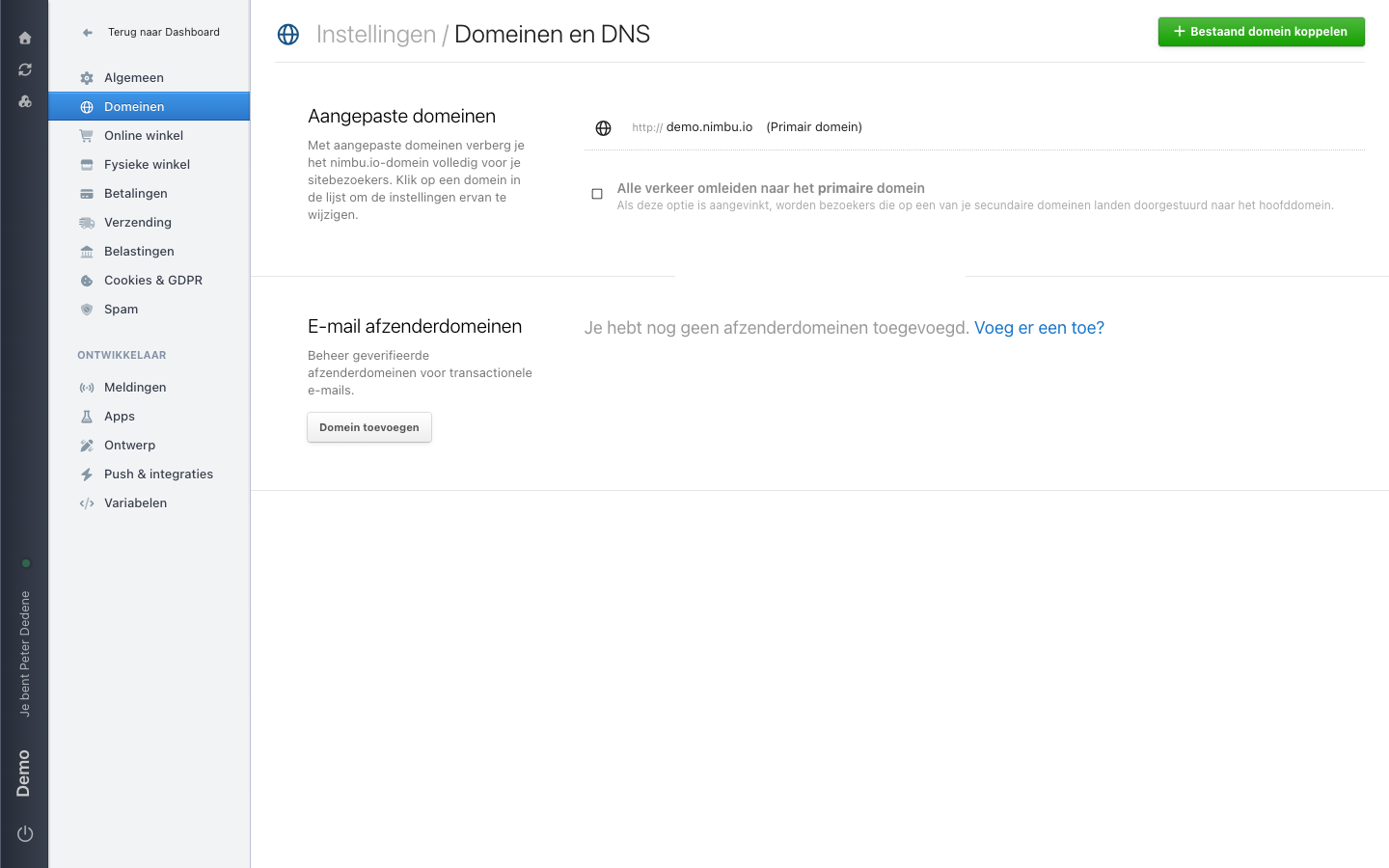
Domeinen (Domains) covers the web addresses of the site you currently selected. The screen is called Domeinen en DNS and has two sections. The rows you see depend on the site's domains.
The labels below are the Dutch ones you see on screen, with the English meaning in brackets.
 View full size
Aangepaste domeinen (custom domains)
A custom domain hides the nimbu.io address from your visitors. The list shows every address connected to the site. One address carries the label Primair domein (primary domain), the site's main address. In the example that is demo.nimbu.io.
Click a domain in the list to change its settings.
Below the list sits Alle verkeer omleiden naar het primaire domein (redirect all traffic to the primary domain). Tick it and visitors who land on one of your secondary domains are forwarded to the main domain.
Use Bestaand domein koppelen (connect existing domain) in the top right to add an address you already own.
E-mail afzenderdomeinen (email sender domains)
This section manages the verified sender domains for transactional email. A sender domain belongs to the address the site sends mail from, and it is separate from the public website address even when the names look alike. If the site has none yet, the screen says so and offers Domein toevoegen (add domain).
When Domains is missing
If Domeinen is not in the left menu, your role most likely has no access to it. Ask an administrator whether the area is available for the selected site.