
General settings reference
Read what the fields under General do and where the other settings live.
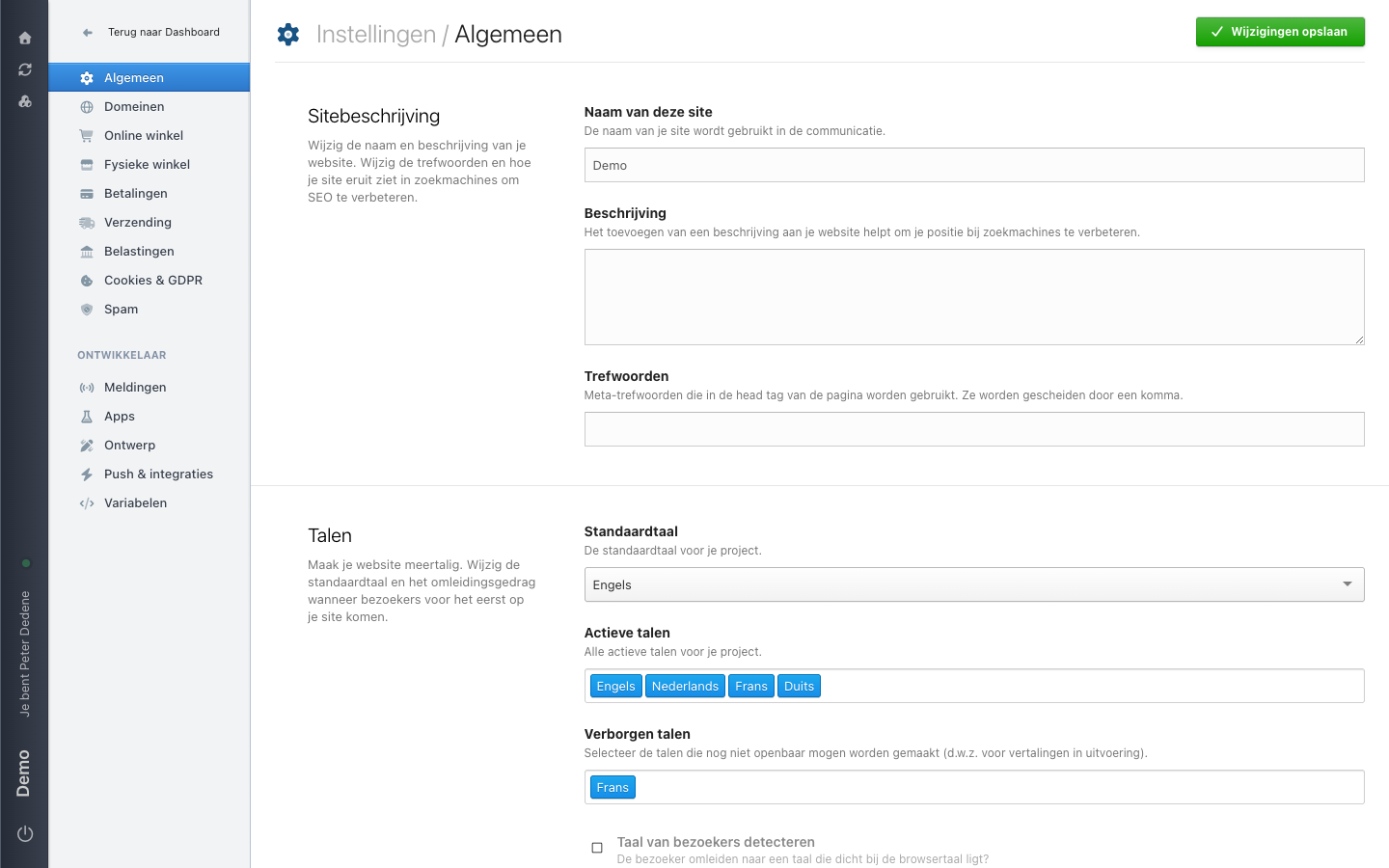
Algemeen (General) is the first area in Settings. It holds the description and the languages of the site you currently selected. The sections you see can differ by site and by role.
The labels below are the Dutch ones you see on screen, with the English meaning in brackets.
 View full size
Sitebeschrijving (site description)
This section describes the site as a whole, not one page. It has three fields:
- Naam van deze site is the site name used in your site's communication. The example shows
Demo. - Beschrijving is the description that helps your ranking in search engines.
- Trefwoorden are the meta keywords placed in the page head tag. Separate them with a comma.
Talen (languages)
This is where you make the site multilingual and decide what happens when a visitor arrives for the first time.
- Standaardtaal is the default language for the project. In the example it is English.
- Actieve talen lists every language the project uses. The example has English, Dutch, French, and German.
- Verborgen talen are languages that may not go public yet, for instance while a translation is still running. The example hides French.
- Taal van bezoekers detecteren redirects a visitor to the language closest to their browser language.
Saving
Nothing on this screen takes effect until you choose Wijzigingen opslaan (save changes) in the top right.
The rest of Settings
Algemeen covers the site description and the languages only. The left menu has separate areas next to it: Domeinen, Online winkel, Fysieke winkel, Betalingen, Verzending, Belastingen, Cookies & GDPR, and Spam. Under Ontwikkelaar (developer) you find Meldingen, Apps, Ontwerp, Push & integraties, and Variabelen. If your question is not about the description or the languages, look in that list.
When an area is missing
A missing area can mean that the selected site does not use that feature, or that your role does not include it. Ask an administrator which applies.