
Shipping
Read how shipping regions, shipping rates, and shipping settings fit together.
Verzending (Shipping) organises the delivery options of the site you currently selected. This page explains what the screen shows; it gives no setup steps.
The labels below are the Dutch ones you see on screen, with the English meaning in brackets.
 View full size
The shipping address
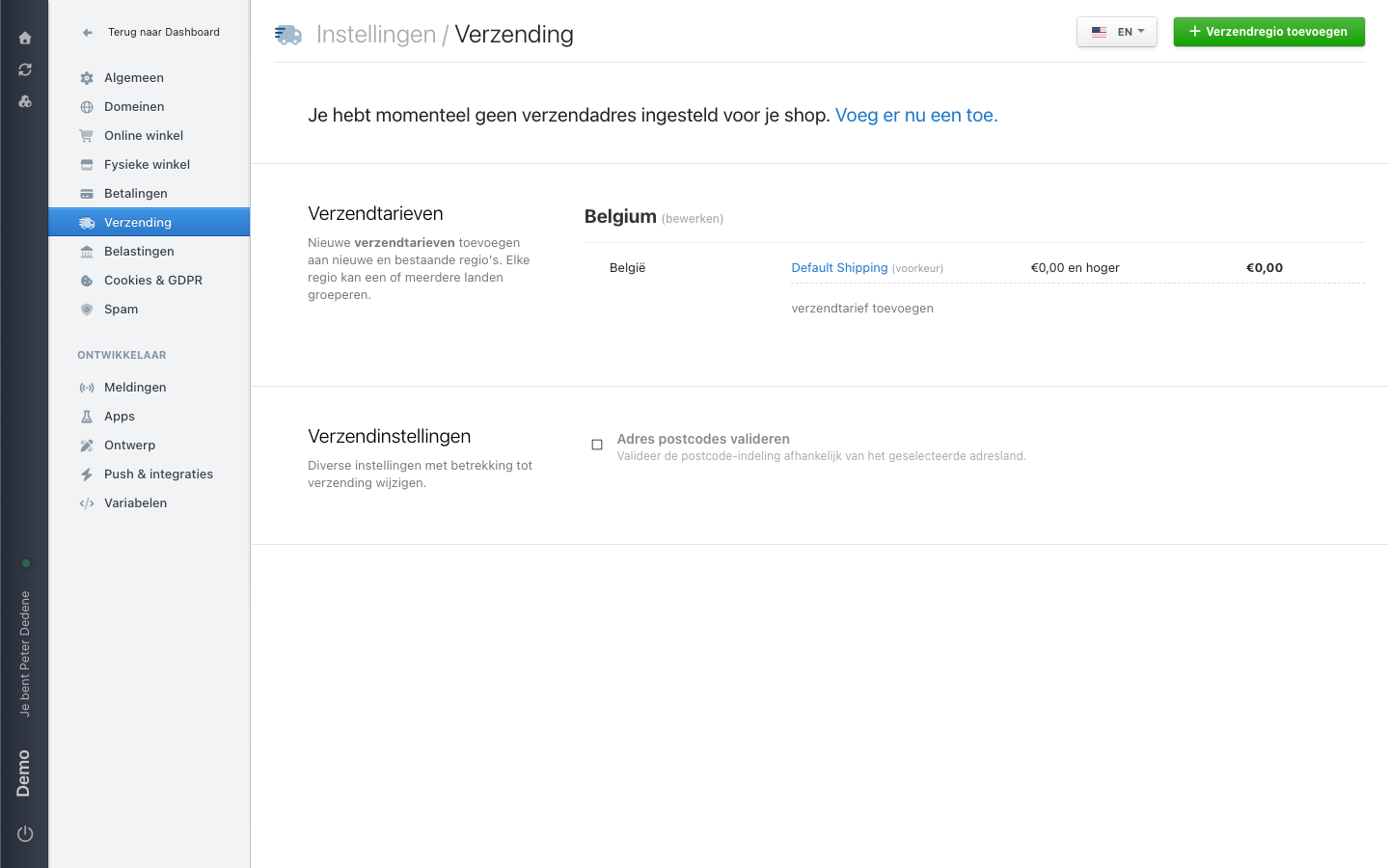
The top of the screen can report that no shipping address has been set for your shop yet. Voeg er nu een toe. (add one now) takes you to where you fill it in. The shipping address is separate from the regions and rates below it.
Verzendtarieven (shipping rates)
A region groups one or more countries. In the example the region is called Belgium and contains Belgium. Next to the region name, bewerken (edit) opens the region itself and verzendtarief toevoegen (add shipping rate) adds a rate to it. Use Verzendregio toevoegen (add shipping region) in the top right for a new region.
Each rate row shows a name, a criterion, and a price. The example has one rate: Default Shipping, marked voorkeur (preferred), applying from €0,00 en hoger (€0.00 and up) and costing €0,00.
Verzendinstellingen (shipping settings)
This holds the separate shipping options. The example shows one: Adres postcodes valideren (validate address postcodes) checks the postcode format against the address country the customer picks.
The language of the screen
A language picker sits in the top right, set to EN in the example. It decides which language you read and edit region and rate names in.
When Shipping is missing
First check that you selected the right site. If Verzending is still missing, ask an administrator for access to Settings.