
Taxes
Read what tax schemes, tax rates, and tax settings mean.
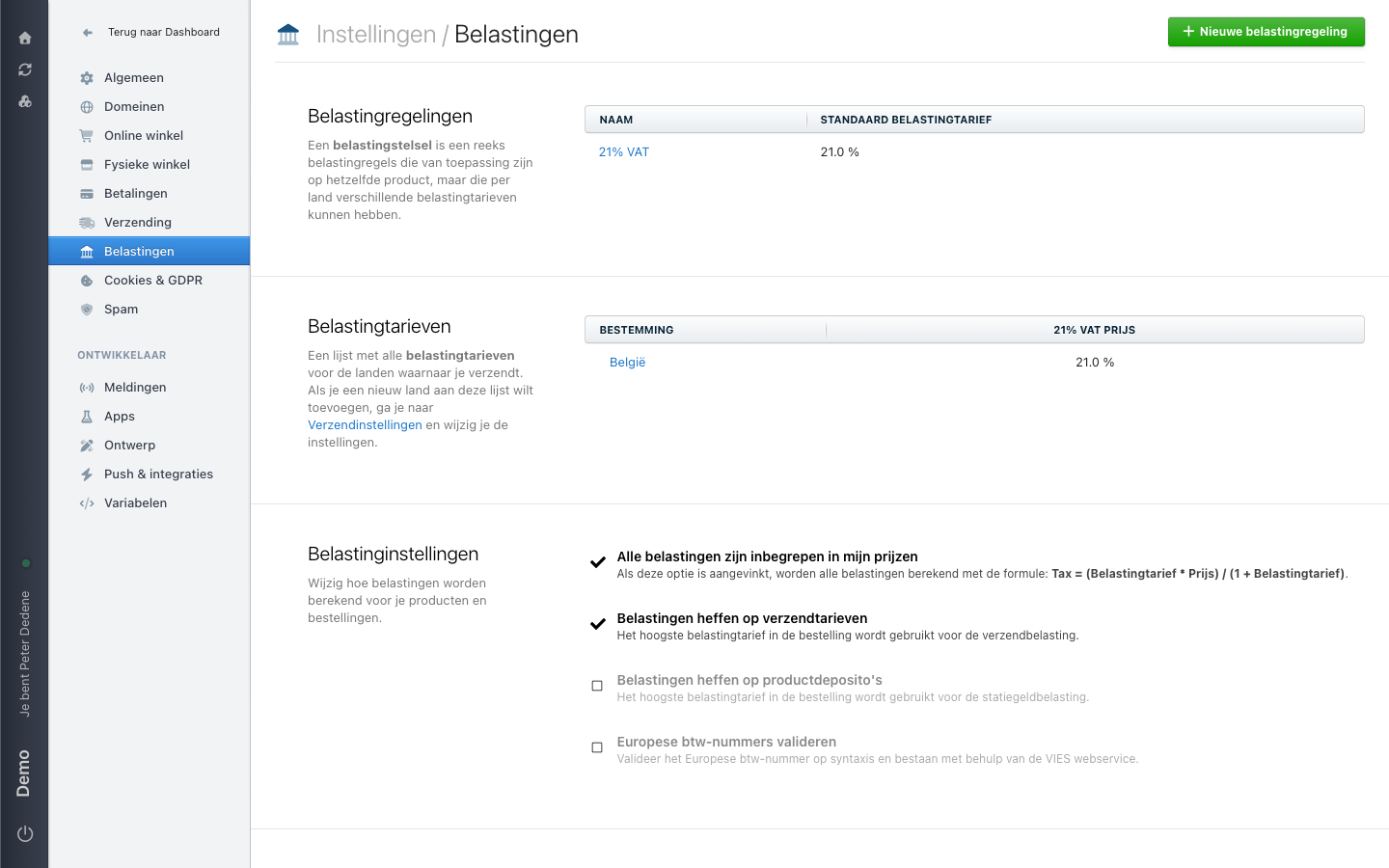
Belastingen (Taxes) shows how the site you currently selected calculates tax. The screen has three sections. This page explains what you see.
The labels below are the Dutch ones you see on screen, with the English meaning in brackets.
 View full size
Belastingregelingen (tax schemes)
A tax scheme is a set of tax rules that apply to the same product but can carry a different rate per country. The table shows each scheme's name and its default tax rate. The example holds one scheme: 21% VAT at 21.0 %. Use Nieuwe belastingregeling (new tax scheme) in the top right to add another.
Belastingtarieven (tax rates)
This is the list of tax rates for the countries you ship to. Each row shows a destination and the rate that applies there for the scheme: in the example, Belgium at 21.0 % for 21% VAT.
Adding a new country does not happen here. The section points to Verzendinstellingen (shipping settings), where you set the countries you ship to.
Belastinginstellingen (tax settings)
These four choices decide how tax is calculated for your products and orders. The example has the first two switched on:
- Alle belastingen zijn inbegrepen in mijn prijzen (all taxes are included in my prices) calculates with the formula
Tax = (tax rate * price) / (1 + tax rate). - Belastingen heffen op verzendtarieven (charge tax on shipping rates) uses the highest tax rate in the order for shipping tax.
- Belastingen heffen op productdeposito's (charge tax on product deposits) uses the highest tax rate in the order for deposit tax.
- Europese btw-nummers valideren (validate European VAT numbers) checks a European VAT number for syntax and existence through the VIES web service.
Where this page stops
This reference helps you read the current settings. For decisions about tax values or tax treatment, ask a qualified tax adviser or Nimbu Support.
When Taxes is missing
First check that you selected the right site. If Belastingen is still missing, ask an administrator for access to Settings.