
Push notifications and integrations
Learn how to read the list of services and their status without changing them.
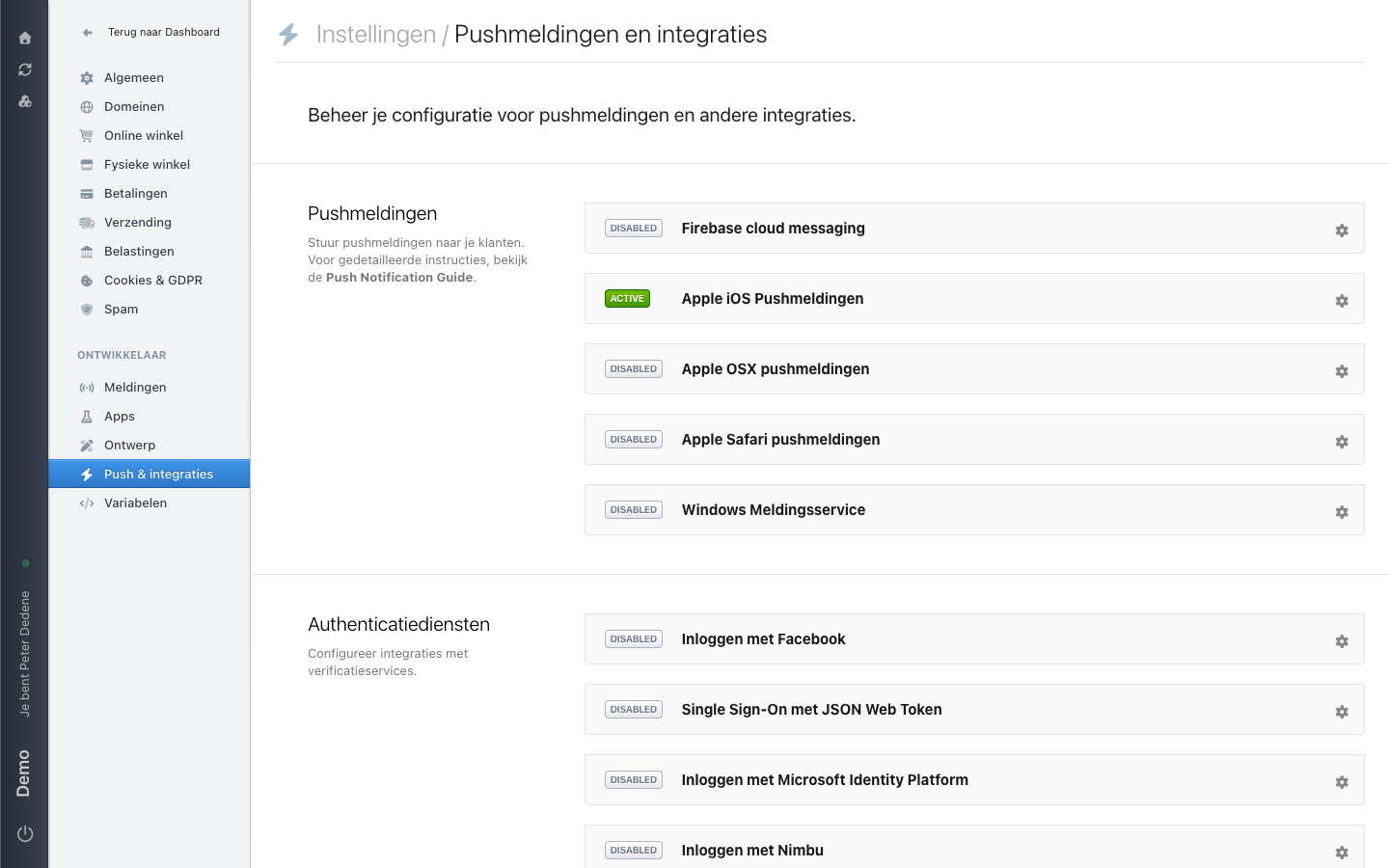
Choose Push & integraties (Push and integrations) in the Settings menu to open Pushmeldingen en integraties. This is where you manage the configuration for push notifications and other integrations. This page helps you read the list; it gives no steps to set up, test, or remove a connection.
The labels below are the Dutch ones you see on screen, with the English meaning in brackets.
 View full size
Read the list
Every service sits on its own row with a label on the left and a gear icon on the right. The label reads ACTIVE or DISABLED, which describes its status in the site settings. It does not confirm that the other service receives or handles data as intended. The gear icon opens the configuration for that one service.
Pushmeldingen (push notifications)
This section sends push notifications to your customers. The example lists five services: Firebase cloud messaging, Apple iOS Pushmeldingen, Apple OSX pushmeldingen, Apple Safari pushmeldingen, and Windows Meldingsservice. Only Apple iOS Pushmeldingen is ACTIVE. The section text points to the Push Notification Guide for detailed instructions.
Authenticatiediensten (authentication services)
This section covers how people can sign in. The example shows Inloggen met Facebook, Single Sign-On met JSON Web Token, Inloggen met Microsoft Identity Platform, and Inloggen met Nimbu, all DISABLED.
Options can differ by site
Which services appear can vary with the site's plan, enabled features, and your access. A missing or unavailable option is not an error. Ask the account or site owner whether it is included for this site.
When to involve an owner or developer
Ask the owner of the connected service before anyone changes a status or configuration. Involve a developer when a connection affects sign-in, visitor data, or another system. They can confirm the intended setup and test plan without exposing sensitive details.